One of the most interesting features for me in the latest VBR 13.1 release was VirtIO driver injection, which automatically injects VirtIO drivers when restoring non-KVM backups to Nutanix, Proxmox etc.
In this post, we’ll take a look at how it works under the hood.
Release 13.1 of Veeam Data Platform brings many new features, greatly increased manageability of the product. In this post, I want to cover Veeam Infrastructure Appliance in a single-disk configuration with iSCSI-attached storage.
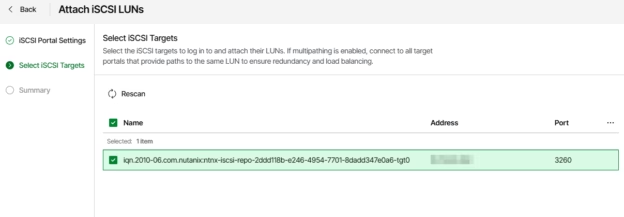
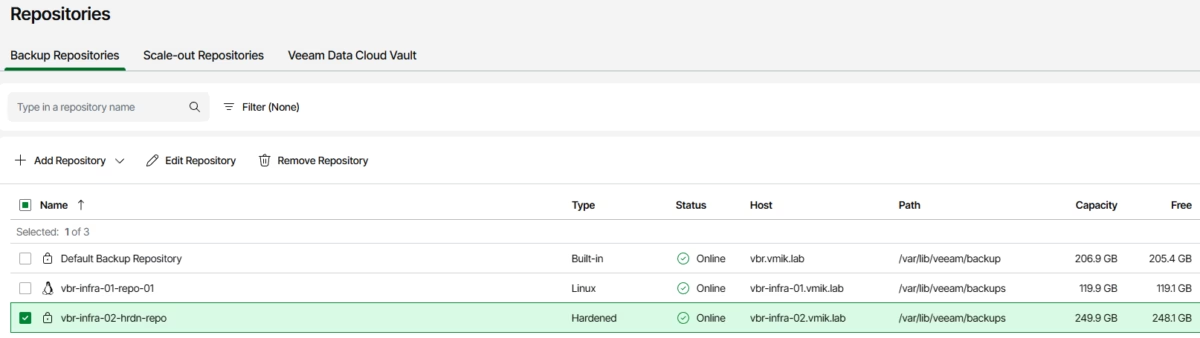
If you do not know what the Veeam Infrastructure Appliance is, you can read this post. If you are an active VIA user, you know that before version 13.1, we could only use locally attached disks for a hardened repository, but this changed in the latest release. Now we can connect remote storage, like FC or iSCSI based LUNs, to store backups.
Next, we will go through the configuration steps to connect an iSCSI-based LUN to a VIA hardened repository.
In this short article, we will look at the procedure for configuring backups of VMware vSphere VMs stored on HPE Alletra using the Veeam Backup from Storage Snapshots feature.
For those who don’t know, this feature allows us to reduce the virtual machine snapshot lifetime from minutes or hours to just seconds, and it is available for use with many storage vendors and models.
CVE-2026-21669, CVSS v3.1 Score: 9.9 – A vulnerability allowing an authenticated domain user to perform remote code execution (RCE) on the Backup Server. Affects Windows-based servers.
CVE-2026-21670, CVSS v3.1 Score: 7.7 – A vulnerability allowing a low-privileged user to extract saved SSH credentials. Affects Windows-based servers and Veeam Software Appliance as well.
CVE-2026-21671, CVSS v3.1 Score: 9.1 – A vulnerability allowing an authenticated user with the Backup Administrator role to perform remote code execution (RCE) in high availability (HA) deployments of Veeam Backup & Replication. This vulnerability affects only Veeam Software Appliance type of installation.
CVE-2026-21672, CVSS v3.1 Score: 8.8 – A vulnerability allowing local privilege escalation on Windows-based Veeam Backup & Replication servers. Affects only Windows-based installations.
CVE-2026-21708, CVSS v3.1 Score: 9.9 – A vulnerability allowing a Backup Viewer to perform remote code execution (RCE) as the postgres user. Affects both types of Veeam Backup Server.
As you can see, no matter the installation you’re using – Windows-based backup server or Veeam Software Appliance – it’s time to update ASAP.
Although this is not the topic of the vulnerabilities above, let me remind you that a production domain-joined VBR server is not a best practice. As for me, I will use VSA in all my future installations because it’s a really high-security appliance, which has already closed many vectors of possible attacks.
Previously I wrote about the newest Veeam Feature – Veeam Software Appliance – pre-built and pre-hardened image containing all the packages needed to run a fully functional backup server on Linux.
In this article, we will look at the Veeam Infrastructure Appliance – an infrastructure component based on Veeam JeOS as well, which can hold different roles – Proxy, Repository (including Hardened), Mount Server, and so on. Do you remember Veeam Hardened Repository ISO? – This release is a massive evolution.
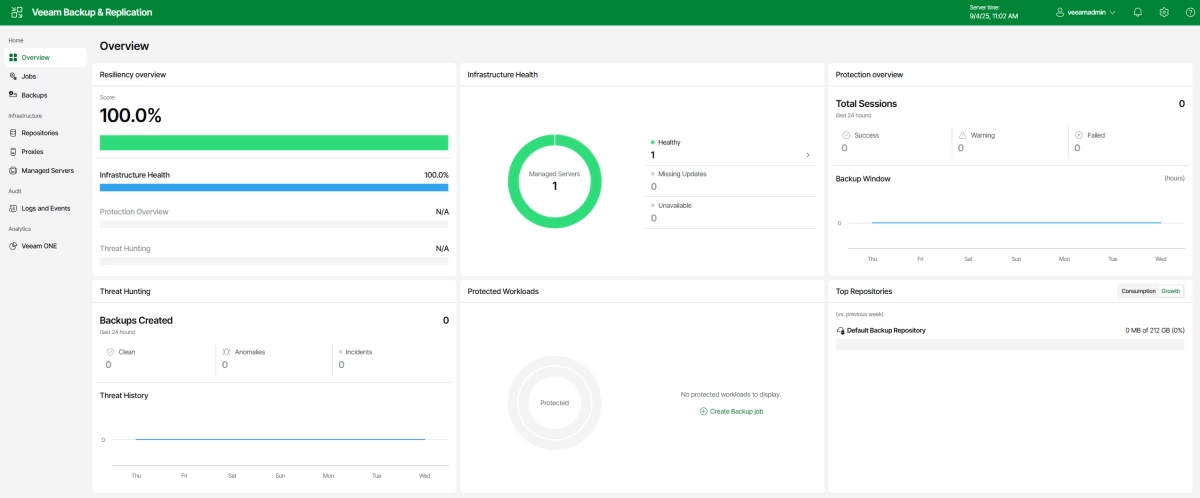
In addition, please consider this article as a little walk through the basic Veeam Software Appliance Web UI.
Veeam just dropped a new KB, related to three critical security fixes: CVE-2025-48983, CVSS v3.1 Score: 9.9: A vulnerability in the Mount service of Veeam Backup & Replication, which allows for remote code execution (RCE) on the Backup infrastructure hosts by an authenticated domain user.
CVE-2025-48984, CVSS v3.1 Score: 9.9: A vulnerability allowing remote code execution (RCE) on the Backup Server by an authenticated domain user.
Both vulnerabilities only impact domain-joined Veeam Backup & Replication v12.
The vulnerabilities affected all versions of Veeam Backup & Replication v12.3.2.3617 and earlier builds and were fixed in the latest VBR release, 12.3.2.4165, so consider updating as soon as possible.
One vulnerability is related to the Veeam agent for MS Windows. CVE-2025-48982, CVSS v3.1 Score:7.3: This vulnerability in Veeam Agent for Microsoft Windows allows for Local Privilege Escalation if a system administrator is tricked into restoring a malicious file.
Consider updating your Veeam Agent for Microsoft Windows to version 6.3.2.1302.
Finally! Veeam Backup & Replication v13 and Veeam Software Appliance release. The v13 release begins with the Veeam Software Appliance, followed by the complete Veeam Data Platform (version 13.0.1) in Q4 2025. Please read carefully the KB.
As usual the “what’s new” document is large, and for v13 it’s about 28 pages.
For those who do not know, Veeam Software Appliance (VSA) is a new feature of VBR v13, and this product is a pre-built, pre-hardened appliance based on the Veeam-managed Linux-based “Just Enough OS” (JeOS), including all the software you need to run the Veeam Backup & Replication server.
Using software appliance, you do not need to install Windows Server and backup software; just deploy the appliance, and you are ready to go.
In this walkthrough, we will look at how to install VSA and what the Web UI looks like. We will examine VSA features in greater detail in future articles.
A new version of Veeam Backup & Replication was released with the build number 12.3.2.3617.
First and foremost, this release includes security fixes for VBR server: CVE-2025-23121 – CVSS v3.0 Score: 9.9, “A vulnerability allowing remote code execution (RCE) on the Backup Server by an authenticated domain user.”
This vulnerability affects only domain-joined backup servers, so if your VBR server is part of a domain, please consider updating it as soon as possible.
One excellent article to read is “Workgroup or Domain” in the Veeam Best Practices guide.
CVE-2025-24286 – CVSS v3.1 Score: 7.2, “A vulnerability allowing an authenticated user with the Backup Operator role to modify backup jobs, which could execute arbitrary code.”
And one security fix for Veeam Agent: CVE-2025-24287–CVSS v3.1 Score: 6.1, “A vulnerability allowing local system users to modify directory contents, allowing for arbitrary code execution on the local system with elevated permissions.”
In addition to security fixes, this release resolved several issues and added support for new modern Linux distros, including recently released RHEL 10 and RHEL-like Oracle Linux 10 and Rocky Linux 10, Ubuntu 25.04, and Debian 12.10/11.