Monthly Archives: August 2026

QuickFix: Install ESXi 9.1 with an Unsupported CPU

CAUTION: This is not for production use! Use this method for home labs only.

During deploying VVF 9 in my home lab, I’ve faced an issue with the unsupported CPU. Although there was no problem with ESXi 8, during ESXi 9.1 installation, I received an error:

CPU_SUPPORT ERROR: The CPU on this host is not supported by ESXi 9.1.0. 
Please refer to the VMware Compatibility Guide (VCG) for the list of supported CPUs. 
Please refer to KB 82794 for more details.
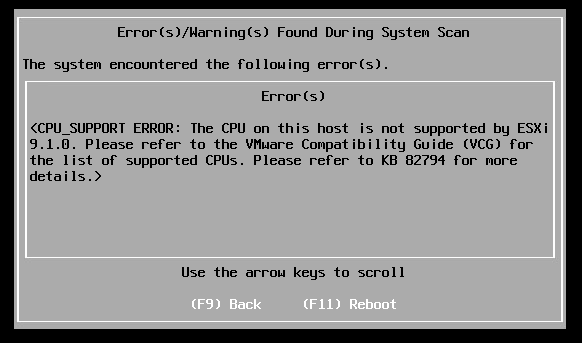
Luckily there is a solution. Keep in mind that this is not for production use. Using this method in production can cause system instability, and your VMware cases will be rejected because you use unsupported configuration.

To bypass this check, we can use the additional installer option:

allowLegacyCPU=true

Reboot the host, and on the “Loading ESXi installer” screen, press SHIFT+O to enter the boot menu:
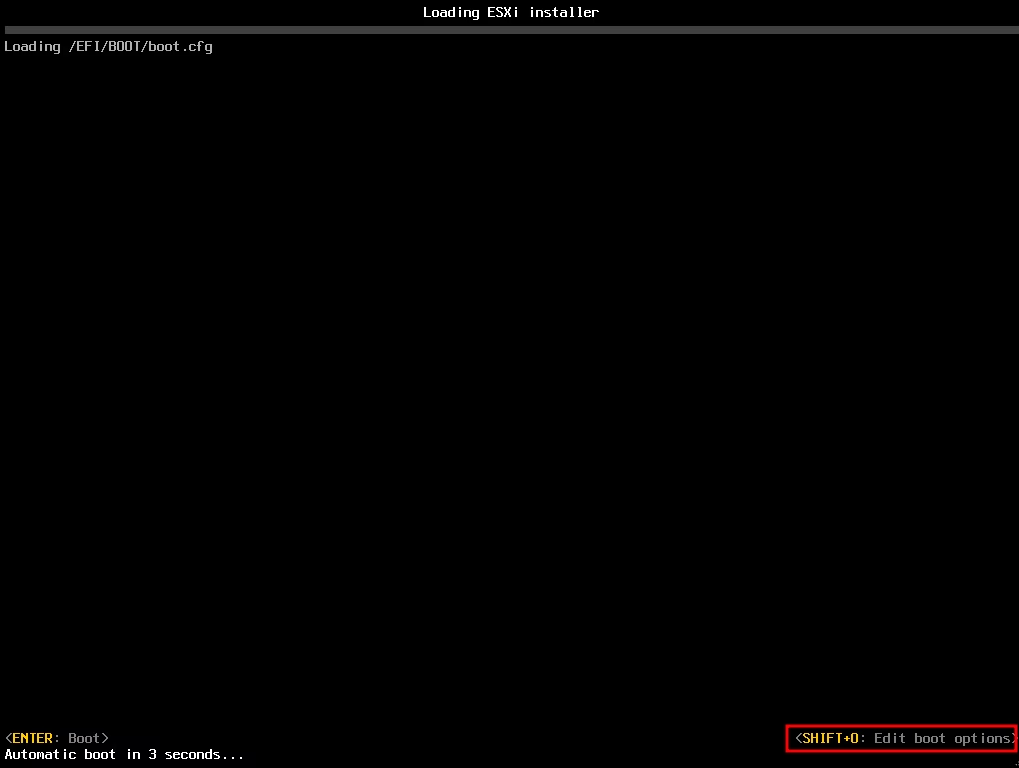
At the end of the line, type “allowLegacyCPU=true” and hit Enter to boot the installer:

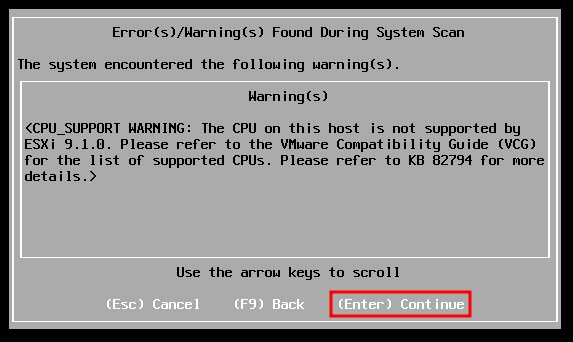
Now, the error message will change from the CPU_SUPPORT ERROR to CPU_SUPPORT WARNING, and we can proceed with the installation:
Please make sure to check CPU Support Deprecation and Discontinuation In VCF Releases document for planning updates and hardware refreshes for your production.

Loading

What’s new at Nutanix University? New Beta certification: NCM-MCI 7.5

Nutanix announced that the Nutanix Certified Master – Multicloud Infrastructure (NCM-MCI) certification is updated to version 7.5, and the exam is now in the beta phase.

For those who don’t know, this is a hands-on exam in a real-lab environment and not a test.

You can find the blueprint guide here.

As usual, a beta exam is free to the first 250 candidates, with testing appointments offered from now through August 30, 2026. But! This time you must hold an active NCP or NCM certification.

Schedule your exam now and use the promo code NCMMCI75BETAFREE during checkout.

To prepare, you can check out my article based on version 6.10, because in most parts the exam should be the similar. However, the general advice remains: check the blueprint and practice things you don’t know in a lab.

Notice: After taking a beta exam, you won’t receive your results immediately. Results typically appear 1.5 or 2 months after the beta exam period concludes.

Loading

Using Single-disk Veeam Infrastructure Appliance 13.1 with iSCSI-attached storage

Release 13.1 of Veeam Data Platform brings many new features, greatly increased manageability of the product. In this post, I want to cover Veeam Infrastructure Appliance in a single-disk configuration with iSCSI-attached storage.

If you do not know what the Veeam Infrastructure Appliance is, you can read this post. If you are an active VIA user, you know that before version 13.1, we could only use locally attached disks for a hardened repository, but this changed in the latest release. Now we can connect remote storage, like FC or iSCSI based LUNs, to store backups.

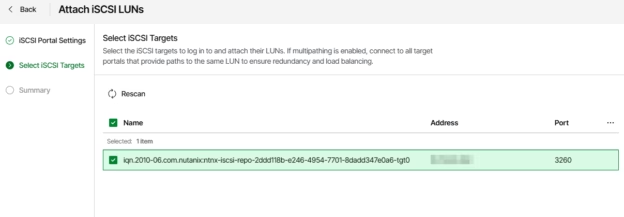
Next, we will go through the configuration steps to connect an iSCSI-based LUN to a VIA hardened repository.

Continue reading

Loading

Deploying License Server in VMware vSphere Foundation 9.1

With release 9.1 of vCloud Foundation and vSphere Foundation a new component called the License Server was released.

The License server is a dedicated protected repository within your environment used to keep licensing data. For each VCF Operations instance, we need to use at least one License Server.

Right after updating my VCF Operations instance to version 9.1, I saw a banner with the message: “Your registration needs to be updated with a license server. Go to Licenses & Registration page to update the VCF Operations registration and access the available licenses”, which means we need to deploy and connect a new License Server. In this article, I will cover this process.

Continue reading

Loading