CAUTION: This is not for production use! Use this method for home labs only.
During deploying VVF 9 in my home lab, I’ve faced an issue with the unsupported CPU. Although there was no problem with ESXi 8, during ESXi 9.1 installation, I received an error:
CPU_SUPPORT ERROR: The CPU on this host is not supported by ESXi 9.1.0.
Please refer to the VMware Compatibility Guide (VCG) for the list of supported CPUs.
Please refer to KB 82794 for more details.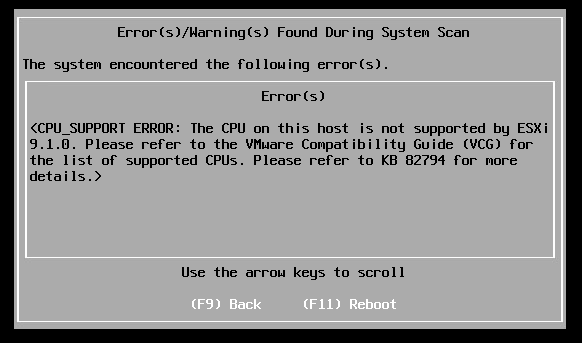
Luckily there is a solution. Keep in mind that this is not for production use. Using this method in production can cause system instability, and your VMware cases will be rejected because you use unsupported configuration.
To bypass this check, we can use the additional installer option:
allowLegacyCPU=trueReboot the host, and on the “Loading ESXi installer” screen, press SHIFT+O to enter the boot menu:
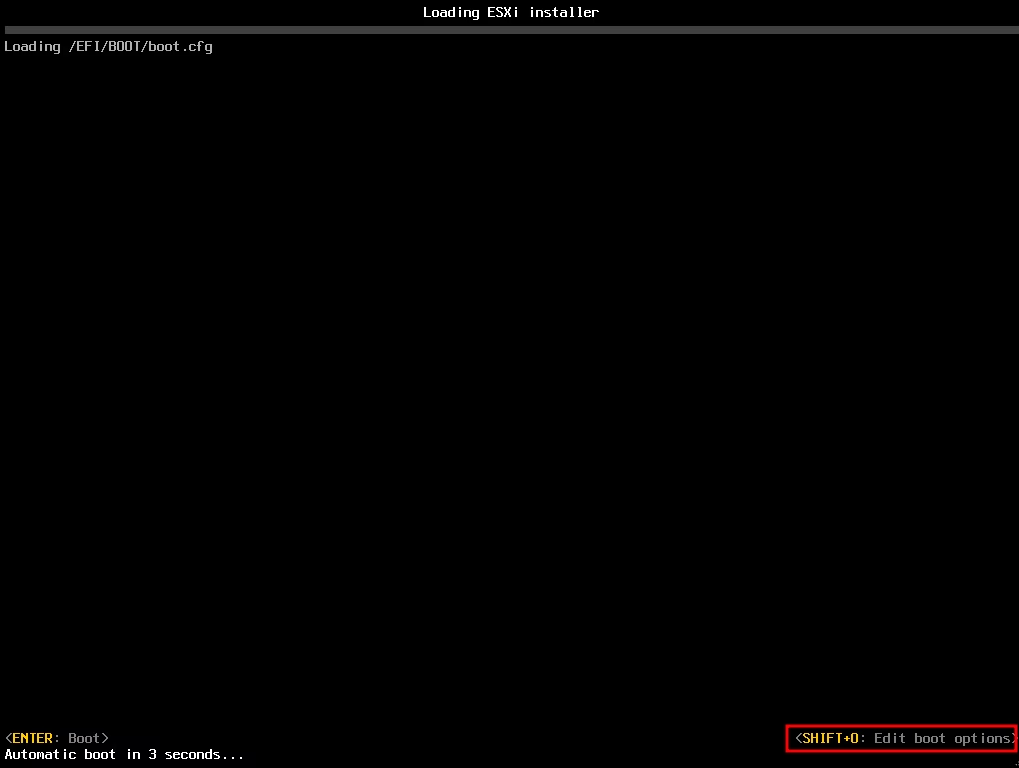
At the end of the line, type “allowLegacyCPU=true” and hit Enter to boot the installer:

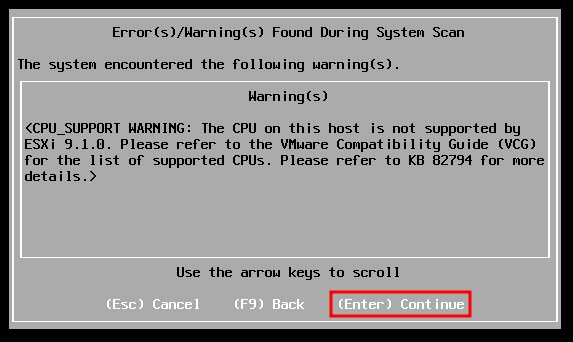
Now, the error message will change from the CPU_SUPPORT ERROR to CPU_SUPPORT WARNING, and we can proceed with the installation:
Please make sure to check CPU Support Deprecation and Discontinuation In VCF Releases document for planning updates and hardware refreshes for your production.
